Bulk Resize Images
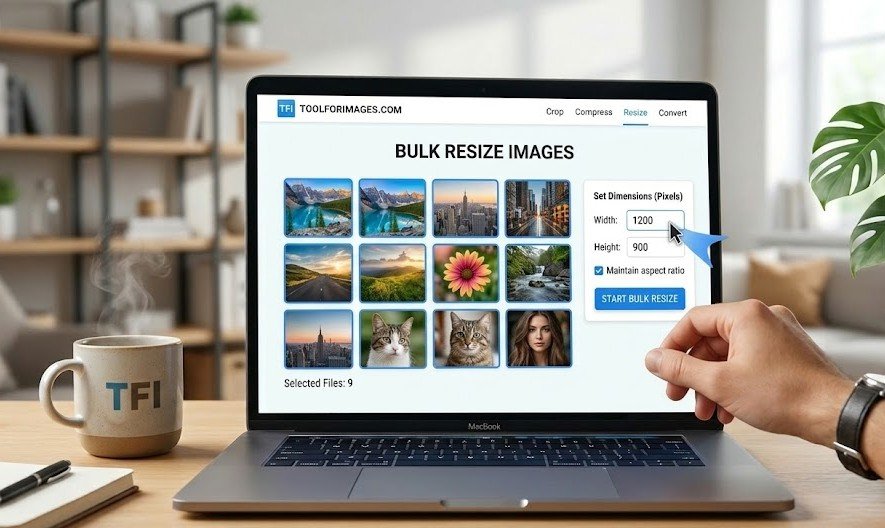
Resize up to 10 images simultaneously. Fast, free, and 100% secure. Your files never leave your browser.
Select images
or drag and drop
PNG, JPG, WEBP. Max 10 images and Max file size 49Mb per image.
Resize Options (Applied to all)
How to Bulk Resize Images
Batch processing made simple.
1. Select Images
Drag and drop up to 10 photos simultaneously.
2. Set Options
Define the master dimensions applied to all files.
3. Process & Download
Instantly resize and download your entire batch.
Mastering Bulk Image Resizing: Efficiency Meets Privacy
In digital workflows, time is the absolute most valuable asset. Our bulk image resizer was engineered specifically to eliminate the tedious, repetitive task of resizing photos one by one. Whether you are prepping a massive gallery for a client, standardizing product shots for an e-commerce catalog, or archiving family albums, batch processing is the professional’s secret to productivity.
Why Batch Processing is Essential for Modern Workflows
- Consistency Across Digital Ecosystems: When building a grid layout for a website or Instagram feed, consistency is key. A bulk resizer ensures every single image shares the exact same dimensional footprint, preventing layout breaks and misaligned galleries.
- Massive Time Savings: Resizing 10 images manually in traditional desktop software requires opening, adjusting, exporting, and saving 10 times. Our batch tool condenses this into a single fluid operation.
- Optimized Delivery: If you are sending photos to clients or web developers, sending uniformly optimized files demonstrates professionalism and technical competence.
The Security Superiority of Browser-Based Processing
Most batch resizing websites mandate that you ZIP your files and upload them to their remote servers. This creates two massive bottlenecks: it wastes your internet bandwidth, and more importantly, it severely compromises your privacy.
Our architecture completely bypasses the server. By leveraging WebAssembly and the HTML5 Canvas API, our platform utilizes your own computer's CPU and memory to resize the images (read more about client-side processing).
At absolutely no point do your precious photos leave your hard drive. There is zero upload, zero server manipulation, and zero risk of data interception. It is the definition of offline security delivered through an online interface.
Best Practices for Bulk Conversions
When batch resizing, always consider the aspect ratio. If you force a landscape photo and a portrait photo into the exact same rigid square dimensions without cropping, one will inevitably stretch. Our smart algorithms help mitigate aggressive distortion by respecting original constraints whenever possible, giving you the best of both efficiency and quality.
Bulk Resize FAQ
Common questions about resizing multiple images.
How to resize multiple images at once?
Simply select or drag and drop up to 10 images into the tool. You can then set the dimensions for all of them simultaneously and download the resized versions instantly.
Is it safe to resize photos online?
Yes, it is 100% secure. Unlike other sites, we process your images locally in your browser. Your photos are never uploaded to our servers, ensuring complete privacy.
Will resizing reduce image quality?
Our tool uses advanced algorithms to maintain the highest possible quality while reducing dimensions. You get sharp, optimized images ready for use.
Is there a limit on file size?
We support files up to 49MB each, which covers most high-resolution photos. You can process batches of up to 10 images at a time for free.
Discover More
Find the perfect tool for your specific needs