Compress PDF Files
Reduce PDF file size while preserving text and quality. Fast, free, and 100% secure. Your files never leave your browser.
Select a PDF file
or drag and drop
PDF files up to 50MB
File Information
Filename:
Original Size:
Compression Level
Keeps text selectable. ~10-15% reduction.
Up to 70%+ reduction. Text becomes image.
Compression Quality
Strong compression converts pages to images. Text will not be selectable.
How to Compress PDF Files
Reduce PDF file size in 3 simple steps.
1. Upload PDF
Select your PDF file from your device.
2. Choose Compression
Select Light or Strong compression mode.
3. Download
Get your optimized PDF instantly.
Why Choose Our PDF Compressor?
Lightning Fast
Compress PDFs instantly right in your browser.
100% Secure
Files never leave your device. Privacy guaranteed.
High Quality
Smart compression algorithms preserve document quality.
Any PDF Size
Compress files up to 50MB quickly and easily.
Free Forever
No hidden fees, no watermarks, unlimited use.
Mobile Ready
Compress PDFs on your phone or tablet on the go.
The Ultimate Guide to PDF Compression and Optimization
In our increasingly digital world, PDF (Portable Document Format) remains the gold standard for sharing documents across different operating systems and devices. Invented by Adobe in the 1990s, PDFs ensure that a document looks exactly the same whether it's viewed on a Windows PC, a Mac, an iPad, or an Android phone. However, high-resolution scans, embedded fonts, and image-heavy reports can quickly balloon to massive file sizes. This creates friction when trying to email attachments (which typically have a strict 20MB to 25MB limit), upload documents to government or university portals, or simply manage your local storage efficiently. Our advanced online PDF compressor solves this universal problem instantly, ensuring your workflows remain uninterrupted.
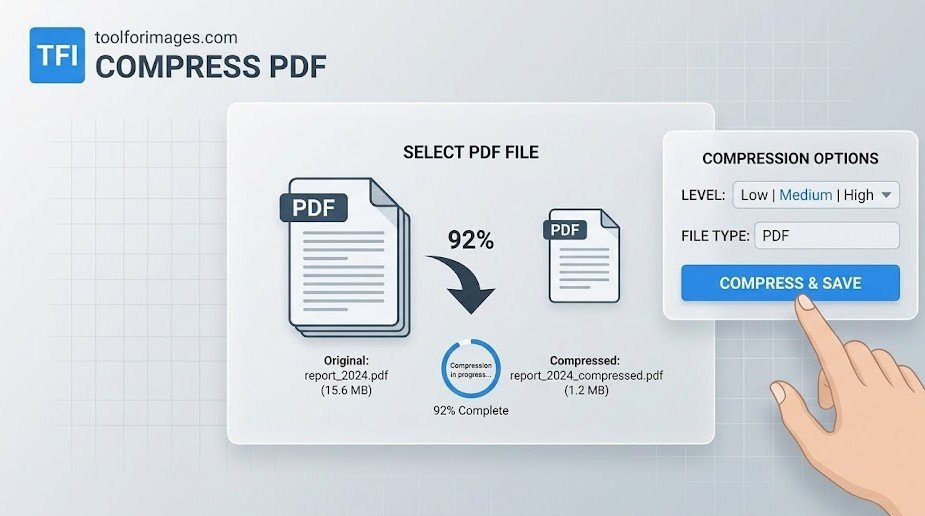
How PDF Compression Actually Works
Many users wonder what happens inside a PDF file when it is compressed. Is data lost forever? Will the document look blurry? A sophisticated PDF compressor utilizes several intelligent strategies simultaneously to reduce the overall byte footprint of the file without noticeably degrading the reader's experience:
- Asset Downsampling: Often, images inserted into a Word document or a PowerPoint before converting to PDF are print-quality (300 DPI or higher). For screen viewing, this is entirely unnecessary. High-resolution images embedded in the PDF are intelligently resized to screen-friendly resolutions (typically 72 to 150 DPI) without sacrificing on-screen readability.
- Metadata Stripping: Editing software (commercial or open-source) often leaves behind hidden XML data, extensive author histories, revision logs, and unused objects. This tool safely purges these non-essential bytes, making the document leaner and cleaner.
- Font Subsetting: Instead of embedding an entire font family (which can easily take up several megabytes of invisible space), an advanced compressor only embeds the specific individual characters actually utilized in the document.
- Structure Optimization: Reorganizing the internal Cross-Reference (xref) tables and stream objects so the file loads faster over the web, specifically allowing for "Fast Web View" or byte-serving.
Understanding Our Unique Compression Modes
We recognize that not all PDFs serve the same purpose. A legal contract requires perfect text clarity, whereas an archive of scanned receipts just needs to be legible. Therefore, our engine provides two distinct algorithms tailored to your specific situational needs:
1. Light Compression
Perfect for text-heavy documents like legal contracts, college essays, resumes, or financial reports. This mode focuses strictly on background optimization. It streamlines the file structure, removes repetitive data, and purges hidden metadata without altering the visual content or downscaling images excessively. Crucially, text remains perfectly selectable, searchable, and machine-readable. This is highly recommended for official submissions.
2. Strong Compression
Ideal for massive scanned documents, old digitized books, or image-heavy marketing presentations that refuse to fit in an email. This intense mode takes a radical approach: it actually rasterizes the document pages, converting them into highly compressed JPEG images bundled inside a new PDF container. While the embedded text becomes an image (unselectable), the file size reduction is massive and unparalleled—often achieving 70-80% or more reduction.
The Privacy Imperative: Why Client-Side Processing Matters
PDFs frequently contain highly sensitive, personally identifiable information (PII): bank statements, finalized legal contracts, confidential medical records, tax returns, and personal identification documents like passports. The traditional online tool model—uploading these hyper-private documents to a random remote server in an unknown jurisdiction for compression—is fundamentally insecure and a huge risk to your data privacy.
We have engineered a radical, privacy-first alternative. Our tool utilizes cutting-edge WebAssembly (Wasm) and highly optimized JavaScript libraries (specifically PDF-lib and PDF.js) to bring the entire complex compression engine directly into your local web browser (learn more about client-side processing).
When you click "Compress", your document mathematically never leaves your computer, phone, or tablet. The entire heavy-lifting process happens locally on your own device's CPU and RAM. We have automatically eliminated the risk of data breaches because we have absolutely zero access to your files, guaranteeing absolute, uncompromised confidentiality.
Frequently Asked Questions
Everything you need to know about PDF compression.
How do I compress a PDF file online?
Simply upload your file, select your desired compression level (Light or Strong), and click "Compress PDF". Once processed, you can download your optimized file instantly.
Does compressing a PDF reduce its quality?
It depends on the mode. Light Compression removes metadata without visible loss. Strong Compression may slightly reduce resolution to achieve maximum file size reduction.
Is it safe to compress sensitive documents?
Yes, it is 100% secure. We process all files locally in your browser using JavaScript. Your documents are never uploaded to our servers.
Why should I compress my PDF?
Compressing PDFs makes them easier to share via email, faster to upload to websites, and helps save valuable storage space on your device.
Can I compress PDF files on mobile?
Yes! Our PDF compressor works perfectly on all devices, including iPhones, Android phones, tablets, and desktop computers.
Strong vs. Light Compression?
Light optimizes structure for perfect text clarity. Strong converts pages to images for maximum reduction, ideal for scanned documents.
Discover More
Find the perfect tool for your specific needs